ROS2 Lyrical Basic Concepts
Robot OS first steps
Introduction
Section titled “Introduction”ROS 2 is a middleware based on a strongly-typed, anonymous publish/subscribe mechanism that allows for message passing between different processes.
At the heart of any ROS 2 system is the ROS graph. The ROS graph refers to the network of nodes in a ROS system and the connections between them by which they communicate.
Interfaces
Section titled “Interfaces”Interfaces in ROS define how nodes exchange data.
ROS nodes typically communicate through the following three types of interfaces:
- Topics: continuous data streams,
- Services: synchronous request/response interactions (short tasks which happen immediately),
- Actions: long-running tasks with feedback (tasks that may take some time to complete).
For consistent communication, each interface uses definitions provided in .msg, .srv, or .action files.
Topics
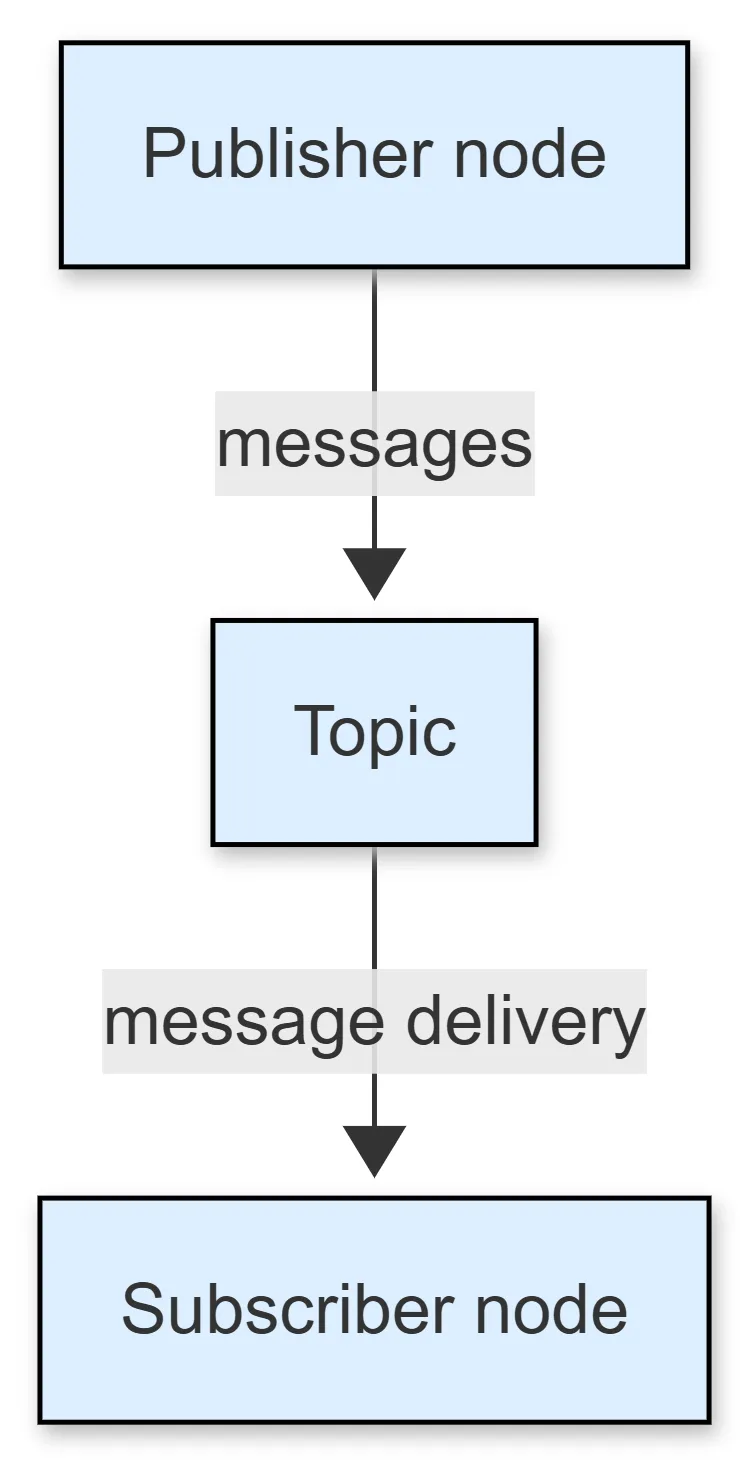
Section titled “Topics”The topic interface is meant for continuous data streams (i.e. streaming sensor data or the status of a robot).
Topic definitions are stored in .msg files.
Topics implement a publish/subscribe pattern. A node publishes data to a topic, and other nodes subscribe to receive that data.
This interface type has the following main characteristics:
- asynchronous, one-way communication,
- multiple publishers and subscribers can share the same topic.
Services
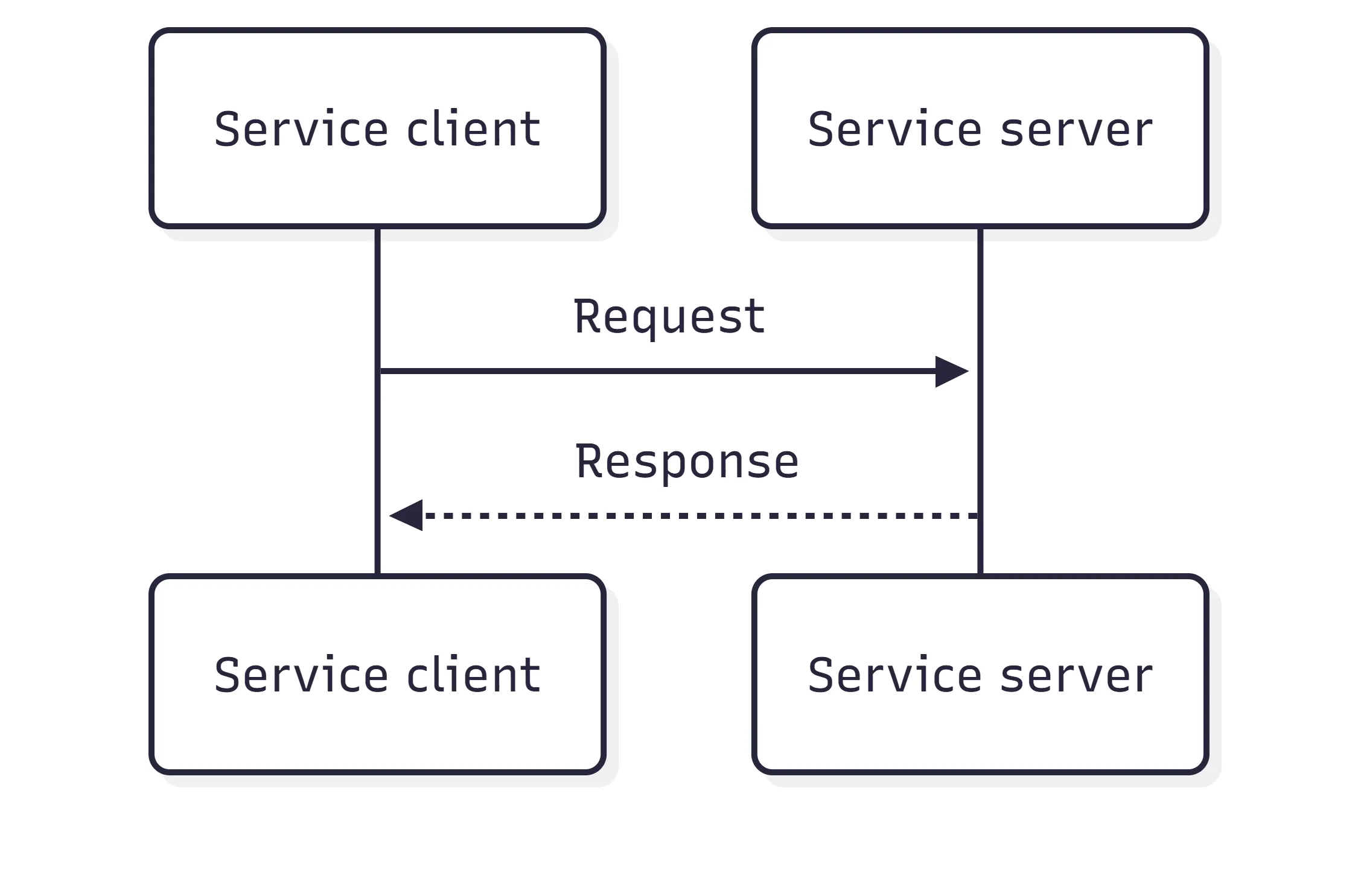
Section titled “Services”The service interface is meant for synchronous request/response interactions (i.e. you want to send a query requesting the configuration of a specific robot).
Service definitions are stored in .srv files.
Services implement a request/response pattern.
A client sends a request, and a server replies with a response.
This interface type has the following main characteristics:
- synchronous communication
- ideal for short-lived operations that require confirmation, or provide a result in response to a request
Actions
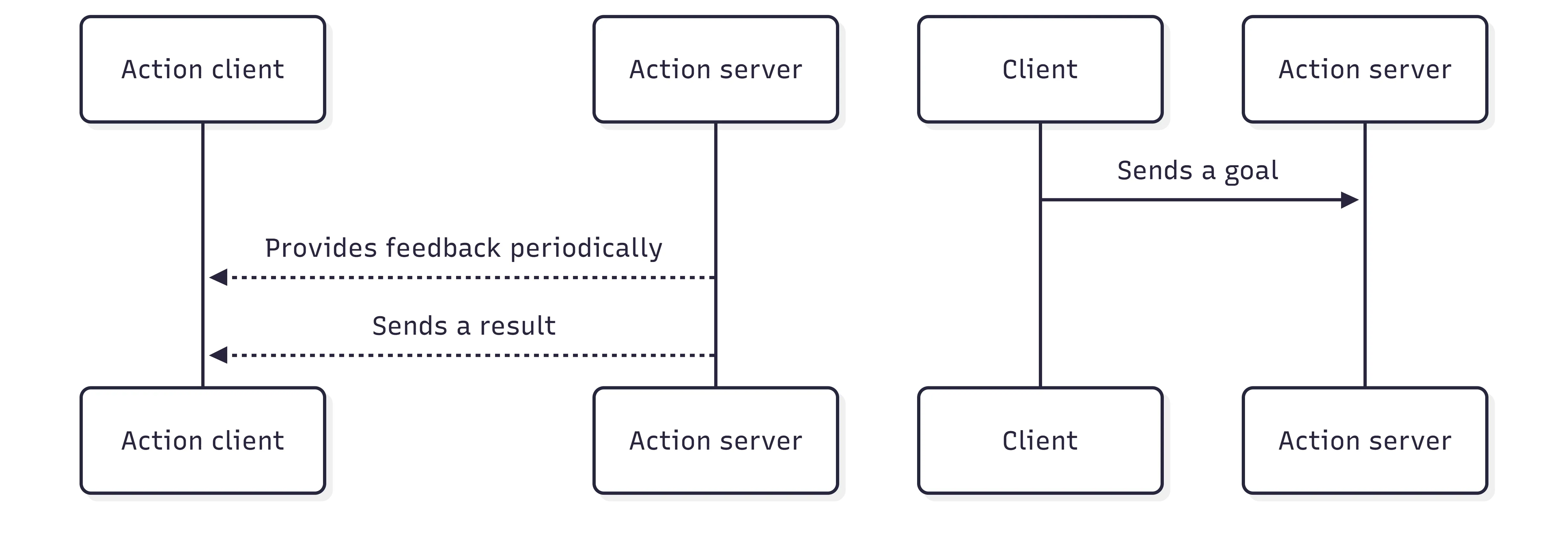
Section titled “Actions”The action interface is meant for long-running tasks with feedback (i.e. moving a robot to a specific position or asking the robot to perform a complex motion).
Action definitions are stored in .action files.
Actions allow clients to send goals, receive feedback during the execution, cancel if needed, and return a result if available.
This interface type has the following main characteristics:
- asynchronous, with feedback and result,
- suitable for operations that take time
Differences between interfaces
Section titled “Differences between interfaces”| Pattern | Direction | Provided result | Typical use case | Cancellation | |
|---|---|---|---|---|---|
| Topics | Publish/Subscribe | One-way | No | Continuous data | Not supported |
| Services | Request/Response | Two-way | Yes | Quick queries | Not supported |
| Actions | Goal/Feedback/Result | Two-way with feedback | Yes | Long-running tasks | Supported |
Nodes are typically the unit of computation in a ROS graph. Each node should do one logical thing.
A node uses a client library to communicate with other nodes. Nodes can communicate with other nodes within the same process, in a different process, or on a different machine.
Nodes can publish to named topics to deliver data to other nodes, or subscribe to named topics to get data from other nodes. They can also act as a service client to have another node perform a computation on their behalf, or as a service server to provide functionality to other nodes.
For long-running computations, a node can act as an action client to have another node perform it on their behalf, or as an action server to provide functionality to other nodes. Nodes can provide configurable parameters to change behavior during run-time.
Discovery
Section titled “Discovery”Discovery of nodes happens automatically through the underlying middleware of ROS 2.
When a node is started, it advertises its presence to other nodes on the network with the same ROS domain (set with the ROS_DOMAIN_ID environment variable).
Nodes respond to this advertisement with information about themselves so that the appropriate connections can be made and the nodes can communicate.
Nodes periodically advertise their presence so that connections can be made with new-found entities, even after the initial discovery period.
Nodes advertise to other nodes when they go offline.
Nodes will only establish connections with other nodes if they have compatible Quality of Service (QoS) settings.
Parameters
Section titled “Parameters”Parameters in ROS 2 are associated with individual nodes.
Parameters are used to configure nodes at startup (and during runtime), without changing the code. The lifetime of a parameter is tied to the lifetime of the node (though the node could implement some sort of persistence to reload values after restart).
Parameters are addressed by node name, node namespace, parameter name, and parameter namespace.
Each parameter consists of a key, a value, and a descriptor.
The key is a string and the value is one of the following types: bool, int64, float64, string, byte[], bool[], int64[], float64[] or string[].
By default, all descriptors are empty, but can contain parameter descriptions, value ranges, type information, and additional constraints.
CLI Introspection
Section titled “CLI Introspection”ROS 2 includes a suite of command-line tools for introspecting a ROS 2 system.
The main entry point for the tools is the command ros2.
To see all available sub-commands run:
ros2 --helpExamples of sub-commands that are available include:
action: Introspect/interact with ROS actionsbag: Record/play a rosbagcomponent: Manage component containersdaemon: Introspect/configure the ROS 2 daemondoctor: Check ROS setup for potential issuesinterface: Show information about ROS interfaceslaunch: Run/introspect a launch filelifecycle: Introspect/manage nodes with managed lifecyclesmulticast: Multicast debugging commandsnode: Introspect ROS nodesparam: Introspect/configure parameters on a nodepkg: Introspect ROS packagesplugin: Introspect ROS pluginsrun: Run ROS nodessecurity: Configure security settingsservice: Introspect/call ROS servicestest: Run a ROS launch testtopic: Introspect/publish ROS topicstrace: Tracing tools to get information on ROS nodes execution (only available on Linux)
Launch
Section titled “Launch”A ROS 2 system typically consists of many nodes running across many different processes (and even different machines).
The launch system in ROS 2 is meant to automate the running of many nodes with a single command. It helps the user describe the configuration of their system and then executes it as described.
The configuration of the system includes what programs to run, where to run them, what arguments to pass them, and ROS-specific conventions which make it easy to reuse components throughout the system.
It is also responsible for monitoring the state of the processes launched, and reporting and/or reacting to changes in the state of those processes.
All of the above is specified in a “launch file”, which can be written in XML, YAML, or Python.
This launch file can then be run using the ros2 launch command, and all the nodes specified will run.
Client libraries
Section titled “Client libraries”Client libraries are the APIs that allow users to implement their ROS 2 code.
Using client libraries, users gain access to ROS 2 concepts such as nodes, topics, services, etc. Client libraries come in a variety of programming languages so that users may write ROS 2 code in the language that is best-suited for their application.
Nodes written using different client libraries are able to share messages with each other because all client libraries implement code generators that provide users with the capability to interact with ROS 2 interface files in the respective language.
In addition to the language-specific communication tools, client libraries expose to users the core functionality that makes ROS what it is.
Here is a list of functionality that can typically be accessed through a client library:
- Names and namespaces
- Time (real or simulated)
- Parameters
- Console logging
- Threading model
- Intra-process communication