Adafruit Feather 32U4 RFM95
Getting started with Adafruit world
Introduction
Section titled “Introduction”Adafruit Industries was founded in 2005 by MIT engineer Limor “Ladyada” Fried.
Over the years, Adafruit has built tons of Arduino-compatible boards, shields, accessories, books and libraries thus expanding the open source ecosystem created around, but not limited to, Arduino world.
LoRa Communication
Section titled “LoRa Communication”Feather’s radio module works really fine with AirSpayce’s Radiohead library.
On the second sentence of the Main Page there a link with which you can download the library. As an alternative, you can use the wget command. Open a terminal and follow the steps below to install the Arduino library.
cd ~/Downloads
wget http://www.airspayce.com/mikem/arduino/RadioHead/RadioHead-1.121.zip
# uncompress the archive in a directory called RadioHeadunzip RadioHead-1.121.zip
mv RadioHead ~/Arduino/libraries/
Restart the Arduino IDE.
update from there down
This blog post aims to introduce you to the Adafruit world with a powerful LoRa board.
Technical Details
Section titled “Technical Details”Here is a detailed list of specifications for Adafruit’s Feather 32u4 RFM95 LoRa board:
- Processor:
ATmega32u4processor clocked at8MHz,
- Memory:
32KBof FLASH memory and2KBof RAM,2MBSPIFlash chip,- No
EEPROMmemory
- Logic/Power:
3.3Vlogic/power,3.3Vregulator with500mApeak current output- built in
100mAlipoly charger (with LED charging status indicator)
- 20
GPIOpins:- n°7 PWM pins,
- n°10 analog inputs,
- Communication:
- Hardware Serial,
- Hardware
I2C, - Hardware
SPIsupport, USBnative support
- Other:
- 51mm x 23mm x 8mm dimension,
- Weight:
5.5g
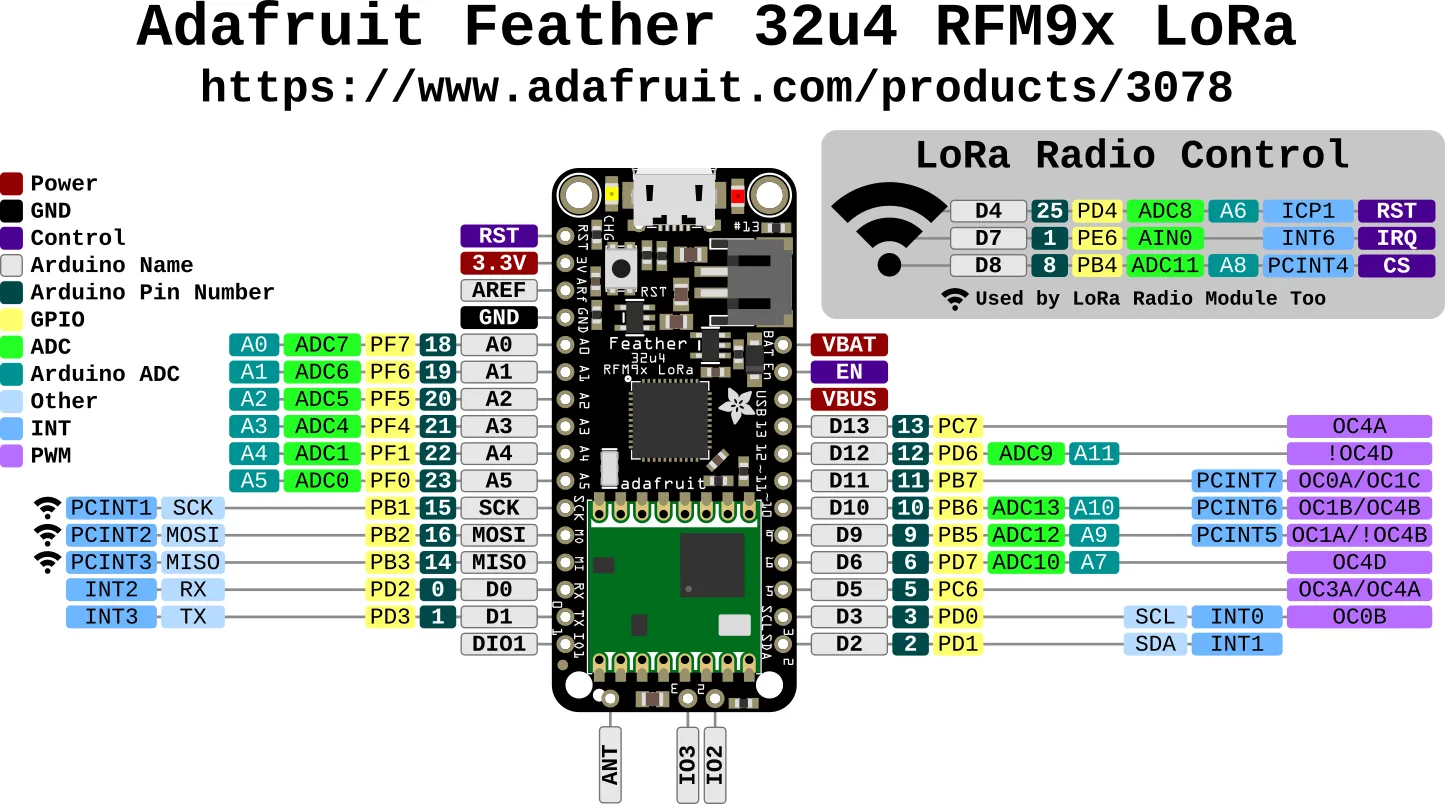
This Feather 32u4 LoRa Radio uses the extra space left over to add an RFM9x LoRa 868/915 MHz radio module. These radios are not good for transmitting audio or video but they provide more range than 2.4 GHz (BT, BLE, WiFi). You should only transmit small data packet.
The radio module provides:
SX1276LoRa® based module withSPIinterface,- ready-to-go Arduino libraries,
- use license-free ISM bands
- ITU “Europe” at
433MHz, - ITU “Americas” at
900MHz,
- ITU “Europe” at
+5to+20 dBmup to100 mWpower output capability (selectable in software),~300uAduring full sleep,~120mApeak during+20dBmtransmit,~40mAduring active radio listening,- simple wire antenna or spot for uFL connector
Arduino IDE
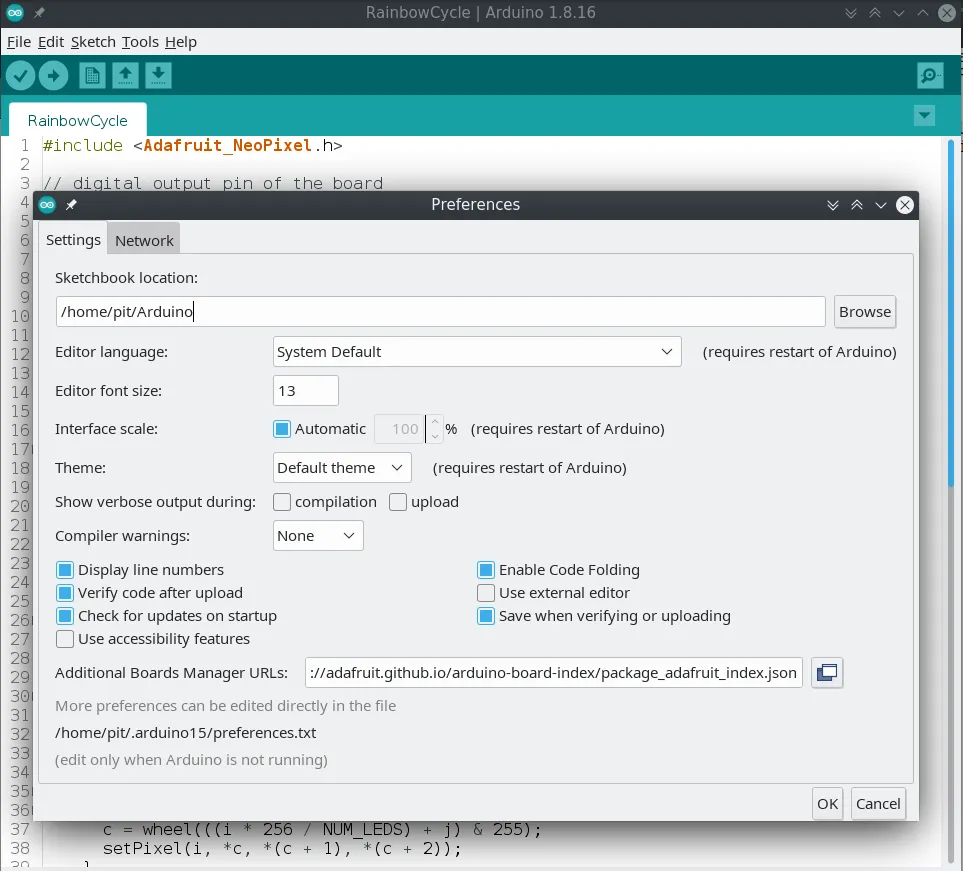
Section titled “Arduino IDE”To allow your Feather board to work with Arduino IDE you need to start the IDE and navigate to the Preferences menu.
In the Additional Boards Manager URLs, you need to add the following URL:
https://adafruit.github.io/arduino-board-index/package_adafruit_index.jsonTo find the most up-to-date list of URLs you can add, please visit the list of third party board URLs on the Arduino IDE wiki.
Here’s a short description of each of the Adafruit supplied packages that will be available in the Board Manager when you add the URL:
- Adafruit AVR Boards: support for Flora, Gemma, Feather 32u4, Trinket, & Trinket Pro.
- Adafruit SAMD Boards: support for Feather M0, Metro M0, Circuit Playground Express, Gemma M0 and Trinket M0
- Arduino Leonardo & Micro MIDI-USB: adds MIDI over USB support for the Flora, Feather 32u4, Micro and Leonardo using the arcore project.
If you have multiple boards you want to support, say ESP8266 and Adafruit, have both URLs in the text box separated by a comma.
Once done click OK to save the new preference settings.
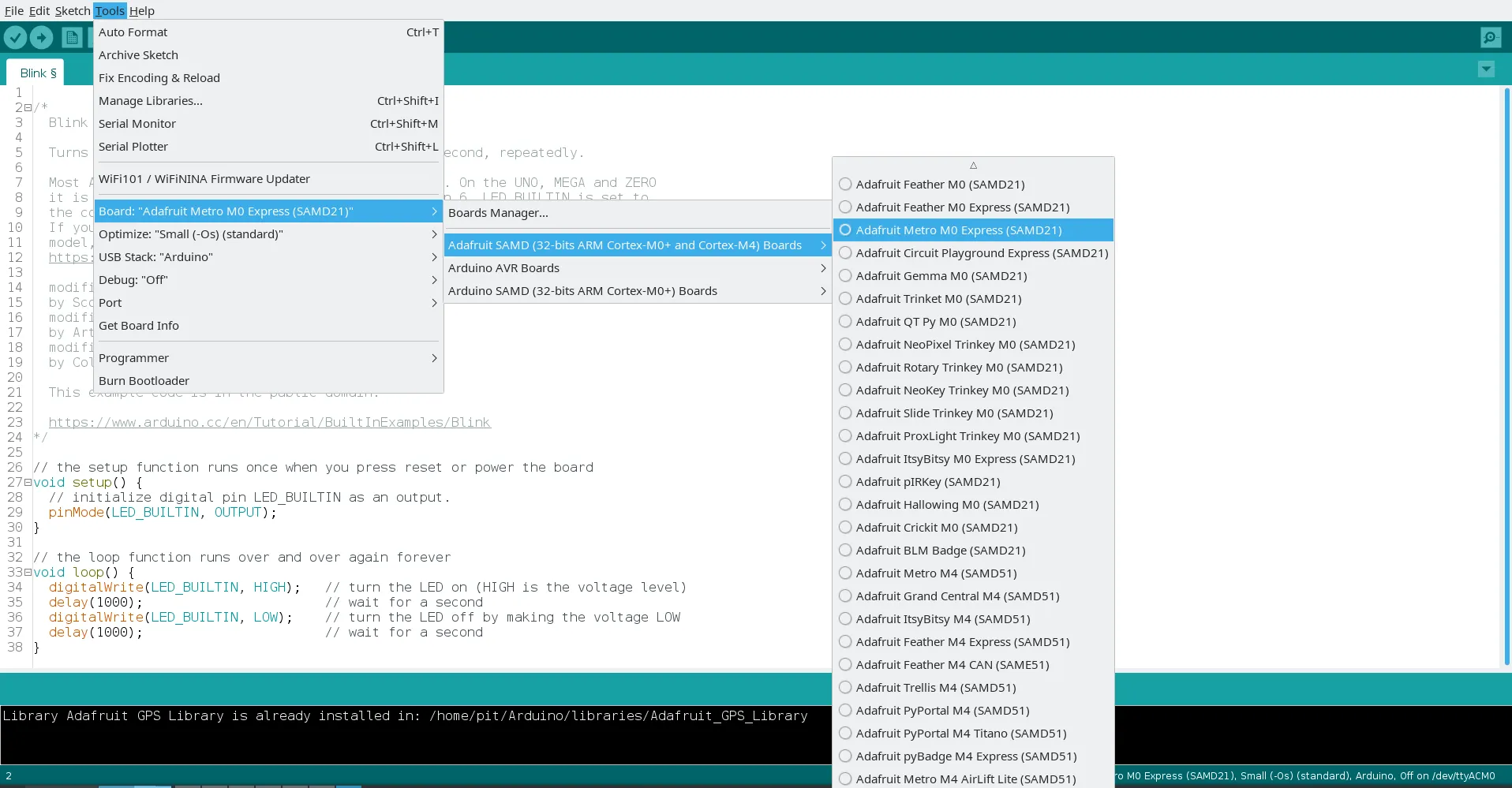
Now that you have added the appropriate URLs, you can open the Boards Manager by navigating to the Tools > Board menu.
Install Adafruit AVR Borads library. You can optionally also install Arduino SAMD Boards and Adafruit SAMD libraries.
Reboot the IDE just to be sure everything has been installed correctly.
You are now able to work with Metro M0 Express board and code in Arduino language!
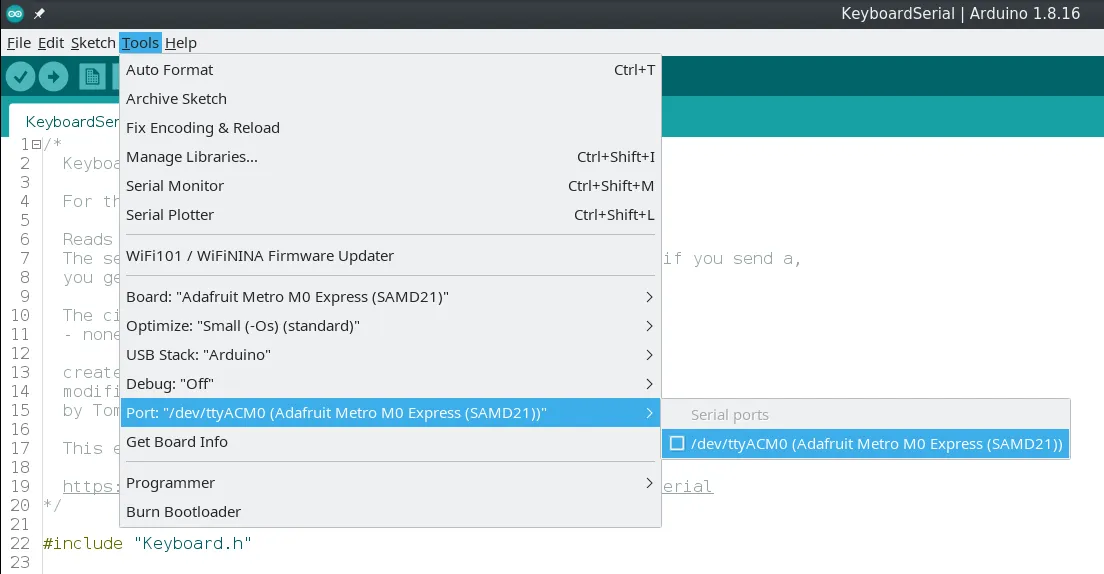
Plug the board and select the right Port:
Since the board has native USB support, some interesting libraries you can work with are:
Conclusion
Section titled “Conclusion”The journey with Adafruit world is at the very beginning. There will be lots of interesting articles in the future!
Documentation
Section titled “Documentation”Adafruit Products:
- Adafruit Feather 32u4 RFM95 LoRa
868or915 MHz - Adafruit Feather 32u4 RFM95 LoRa
433 MHz
Useful links: