MacroPad RP2040 NeoPixel LEDs
MacroPad neopixel strip
Introduction
Section titled “Introduction”You can buy MacroPad on the official Adafruit store.
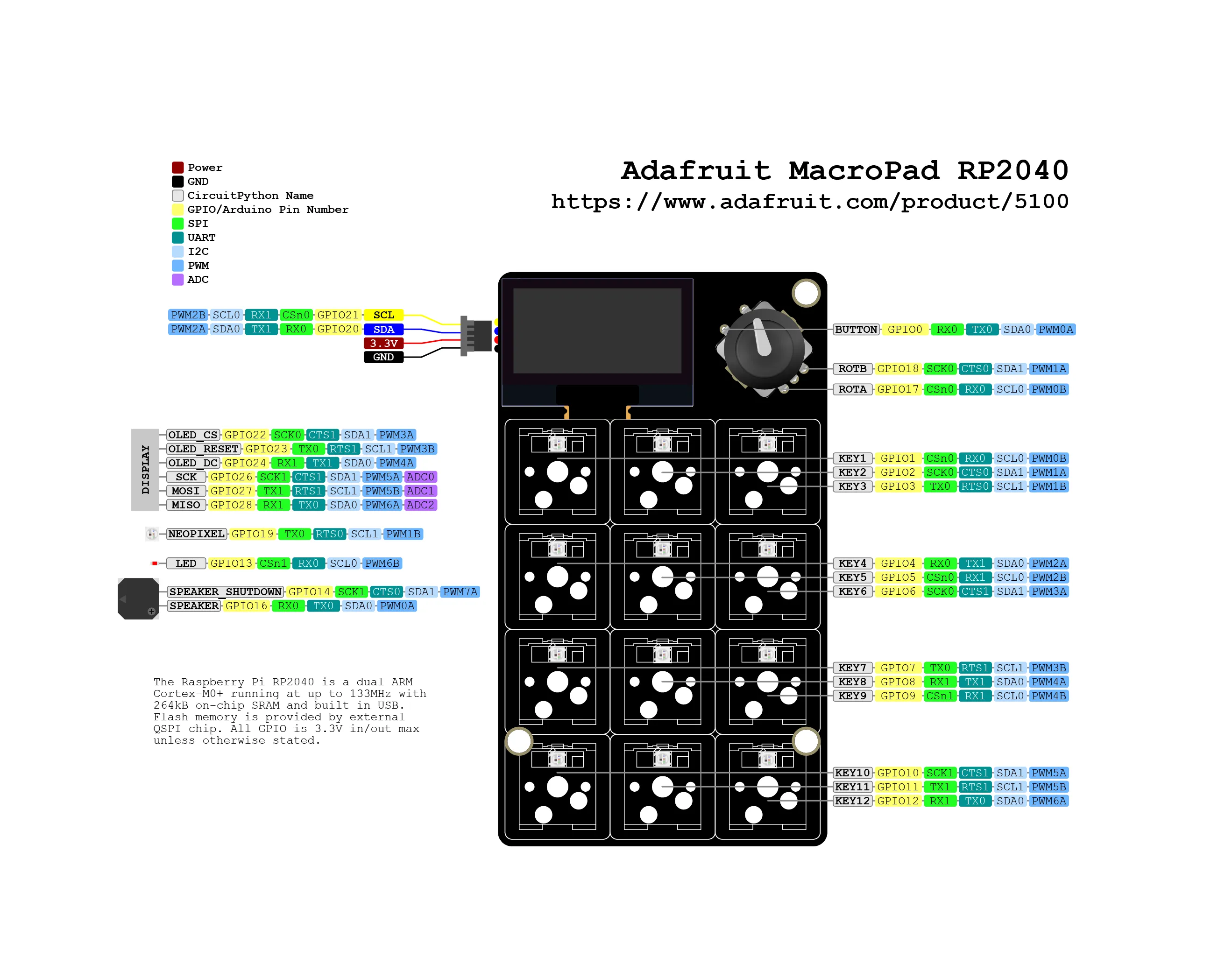
This blog post will allow you to control MacroPad switches LEDs.
Embedded📂 adafruit/macropad-rp2040/neopixel
from adafruit_macropad import MacroPadimport time
macropad = MacroPad()
NUM_LEDS = 12
# Initialize NeoPixel strip# strip = neopixel.NeoPixel(PIN, NUM_LEDS, brightness=BRIGHTNESS, auto_write=False)
def set_pixel(pixel_number, red, green, blue):    if 0 <= pixel_number < NUM_LEDS:        macropad.pixels[pixel_number] = (red, green, blue)
def color_wipe(red, green, blue, delay_time):    for i in range(NUM_LEDS):        set_pixel(i, red, green, blue)        time.sleep(delay_time)
def reverse_color_wipe(red, green, blue, delay_time):    for i in range(NUM_LEDS-1, -1, -1):        set_pixel(i, red, green, blue)        time.sleep(delay_time)

# Main loopwhile True:    color_wipe(220, 44, 0, 0.1)    color_wipe(48, 79, 255, 0.1)    color_wipe(0, 191, 165, 0.1)    reverse_color_wipe(220, 44, 0, 0.1)    reverse_color_wipe(48, 79, 255, 0.1)    reverse_color_wipe(0, 191, 165, 0.1)
📂 adafruit/macropad-rp2040/neopixel/color-wipe/code.pyView on GitLab ↗
from adafruit_macropad import MacroPadimport time
macropad = MacroPad()import timeimport boardimport neopixelimport random
# ConfigurationNUM_LEDS = 12       # Number of LEDsBRIGHTNESS = 0.67    # Range: 0.0 - 1.0 (170/255 ≈ 0.67)
# Initialize NeoPixel strip# strip = neopixel.NeoPixel(PIN, NUM_LEDS, brightness=BRIGHTNESS, auto_write=False)
def set_pixel(pixel_number, red, green, blue):    if 0 <= pixel_number < NUM_LEDS:        macropad.pixels[pixel_number] = (red, green, blue)
def set_all(red, green, blue):    for i in range(NUM_LEDS):        macropad.pixels[i] = (red, green, blue)    # strip.show()
def fade_to_black(led_no, fade_value):    r, g, b = macropad.pixels[led_no]    r = 0 if r <= 10 else r - (r * fade_value // 256)    g = 0 if g <= 10 else g - (g * fade_value // 256)    b = 0 if b <= 10 else b - (b * fade_value // 256)    macropad.pixels[led_no] = (int(r), int(g), int(b))
def meteor_rain(red, green, blue, meteor_size, meteor_trail_decay, meteor_random_decay, speed_delay):    set_all(0, 0, 0)
    for i in range(NUM_LEDS * 2):        # Fade brightness of all LEDs one step        for j in range(NUM_LEDS):            if (not meteor_random_decay) or (random.randint(0, 9) > 5):                fade_to_black(j, meteor_trail_decay)
        # Draw meteor        for j in range(meteor_size):            if 0 <= i - j < NUM_LEDS:                set_pixel(i - j, red, green, blue)
        # strip.show()        time.sleep(speed_delay / 1000.0)
# Main loopwhile True:    # Example meteor effect    # meteor_rain(255, 255, 255, 10, 64, True, 30)    meteor_rain(255, 187, 187, 10, 80, True, 50)
📂 adafruit/macropad-rp2040/neopixel/meteor-rain/code.pyView on GitLab ↗
from adafruit_macropad import MacroPad # https://docs.circuitpython.org/projects/macropad/en/latest/from rainbowio import colorwheel # https://docs.circuitpython.org/en/latest/shared-bindings/rainbowio/index.htmlimport timeimport random
macropad = MacroPad()NUM_LEDS = 12 # number of LEDs
def rainbow_cycle(wait):    for color in range(255):        for pixel in range(NUM_LEDS):            pixel_index = (pixel * 256 // NUM_LEDS) + color * 5            macropad.pixels[pixel] = colorwheel(pixel_index & 255)        macropad.pixels.show()        time.sleep(wait)

while True:    # increase the parameter to slow down the rainbow, decrease to speed it up.    rainbow_cycle(0.01)
📂 adafruit/macropad-rp2040/neopixel/rainbow-cycle/code.pyView on GitLab ↗
The effects I wrote for the MacroPad are:
- Color Wipe
- Meteor Rain
- Rainbow Cycle