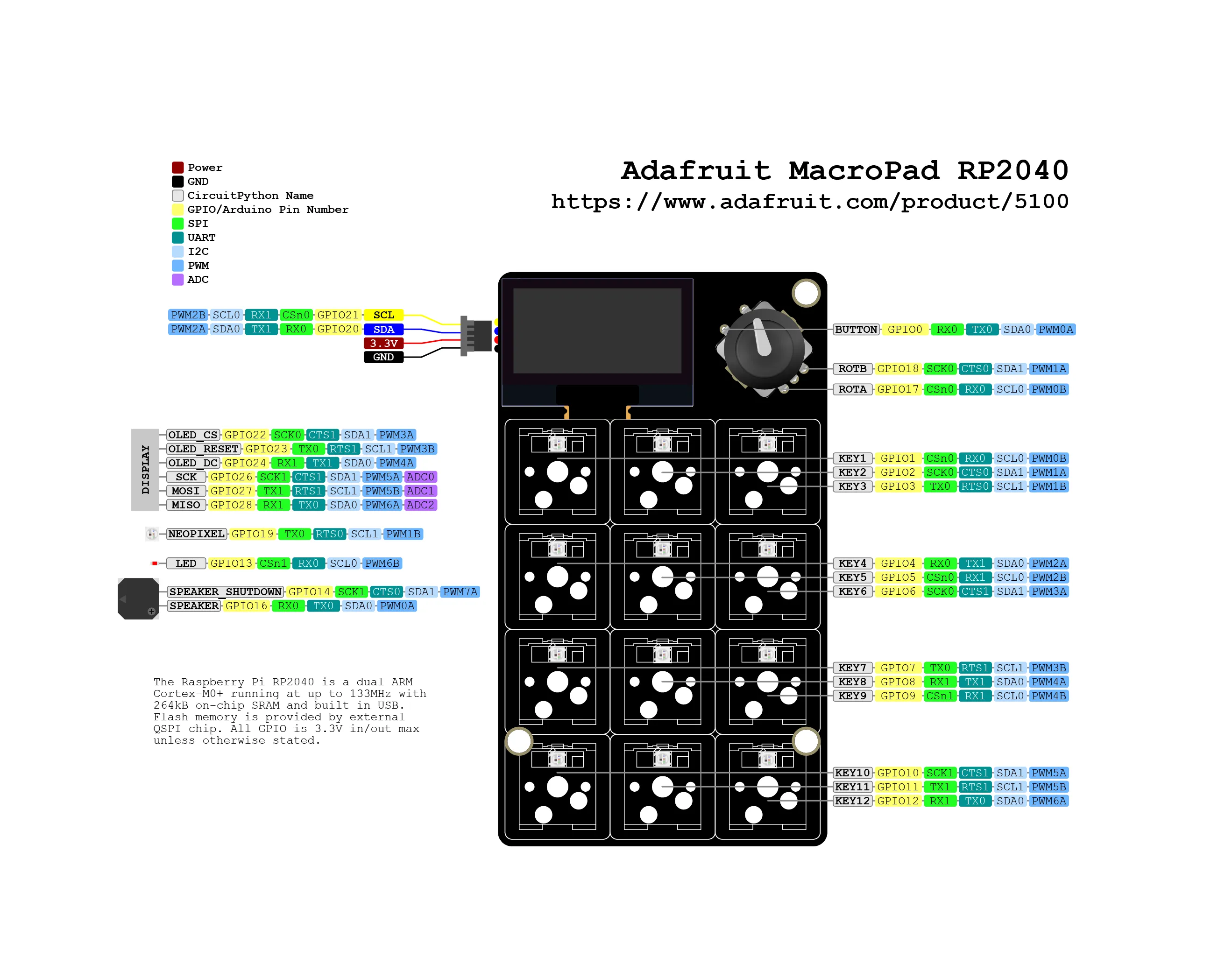
You can buy MacroPad on the official Adafruit store.
This blog post will allow you to scroll page up and down using the MacroPad.
Embedded📂 adafruit/macropad-rp2040/page-scroller from adafruit_macropad import MacroPad
from adafruit_hid.keyboard import Keyboard
from adafruit_hid.keycode import Keycode
# Initialize the MacroPad
# Initialize the keyboard HID
keyboard = Keyboard(usb_hid.devices)
# Variables to track encoder state
last_encoder_position = macropad.encoder
print("MacroPad RP2040\nPage Scroller")
# rotate encoder: clockwise = page down, counter-clockwise = page up
# Read the current encoder position
current_encoder_position = macropad.encoder
# Check if the encoder position has changed
encoder_change = current_encoder_position - last_encoder_position
# Clockwise rotation - scroll down (Page Down)
keyboard.send(Keycode.PAGE_DOWN)
# Counter-clockwise rotation - scroll up (Page Up)
keyboard.send(Keycode.PAGE_UP)
# Update the last known position
last_encoder_position = current_encoder_position
# Small delay to prevent too rapid scrolling
# handle encoder button press: back on top of the page
macropad.encoder_switch_debounced.update()
if macropad.encoder_switch_debounced.pressed:
print("Encoder button pressed")
# Example: Send Home key to go to top of page
keyboard.send(Keycode.HOME)
# Small delay to prevent excessive CPU usage
📂 adafruit/macropad-rp2040/page-scroller/code.pyView on GitLab ↗
Clockwise rotation of the rotary encoder scrolls down the page.
Counter-clockwise rotation of the rotary encoder scrolls up tha page.